I get messages all the time from new website owners who are incredibly frustrated. They spent months writing great articles, applied for Google AdSense, and immediately got hit with a vague “Policy Violation” rejection email.
When I look at their websites to see what went wrong, the issue is almost always the exact same thing: they are missing a proper, legally compliant Privacy Policy page.
Many beginners try to solve this by searching for a free ai privacy policy generator. The problem is that most of those sites are traps. You fill out a long form, and at the very end, they either demand $20 to download your text, or they inject hidden, spammy backlinks into your website’s code.
You don’t need to pay for legal pages, and you definitely shouldn’t risk spamming your own site. In this guide, I will show you exactly how to create a privacy policy page using chatgpt in less than two minutes. This specific method generates a clean, professional policy that specifically includes the exact clauses Google AdSense requires for approval.
Why Google AdSense Cares About Your Privacy Policy
Google AdSense is strict about privacy because of international data laws like GDPR (in Europe) and CCPA (in California).
When you run Google ads on your blog, Google places a small piece of data called a “cookie” on your readers’ browsers to show them personalized ads. Legally, you are required to explicitly tell your readers that this is happening.
If your Privacy Policy page does not specifically mention Google, third-party vendors, and the DoubleClick DART cookie, the AdSense manual review team will automatically reject your application.
By using targeted adsense compliance pages chatgpt prompts, we can force the AI to include these mandatory legal clauses perfectly.
The Perfect ChatGPT Prompt for AdSense Approval
To get the right text, we cannot just ask ChatGPT to “write a privacy policy.” We need to give it specific instructions about advertising.
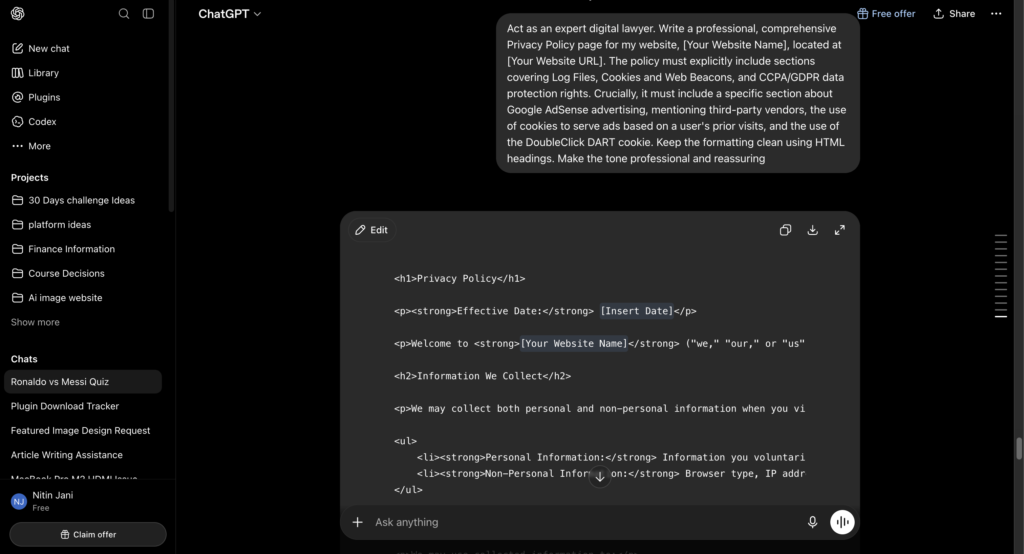
Copy the prompt below. Before you hit enter in ChatGPT, make sure to replace the bracketed information with your actual website details.
Step-by-Step: Adding the Page to WordPress
Once ChatGPT gives you the text, you need to publish it correctly on your site. A Privacy Policy shouldn’t be a regular blog post; it needs to be a static page.
Follow these exact steps:
- Create a New Page: In your WordPress dashboard, go to the left sidebar and click on Pages > Add New.
- Set the Title: Name the page exactly Privacy Policy. Do not try to get creative with the title.
- Paste the Text: Paste the text generated by ChatGPT into the main editor.
- Format the Headings: Make sure the sections (like “Log Files” or “Information We Collect”) are formatted as H2 headings so the page is easy to scan.
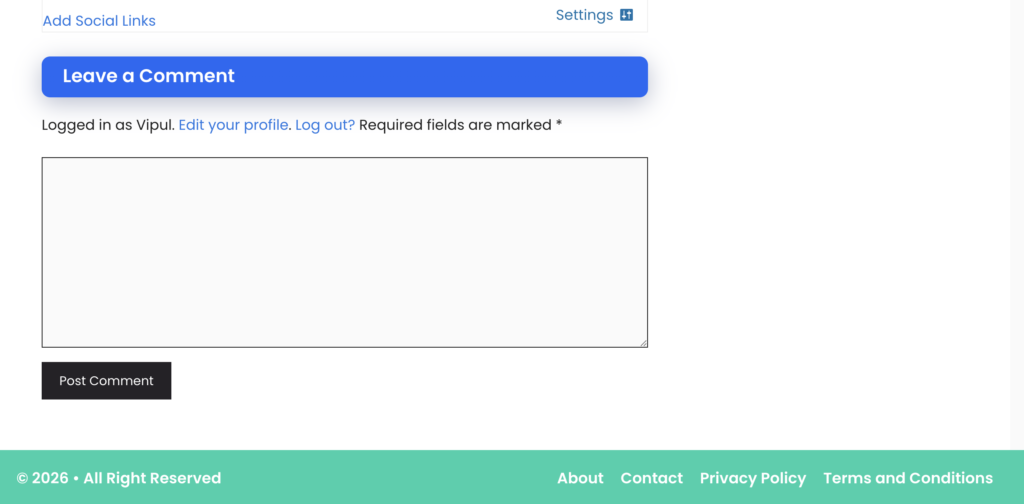
- Publish and Link: Hit Publish. Finally, go to Appearance > Menus and add a link to your new Privacy Policy page in your website’s footer. The AdSense review team always checks the footer first.
Wrap Up
Securing Google AdSense approval is all about checking the right technical boxes and showing that you run a professional, compliant website. By learning how to generate these essential pages yourself, you avoid the traps of paid generators and keep complete control over your site’s code.
If you are currently setting up your site for an AdSense review, make sure you also have a clear “Contact Us” and “About Us” page in your footer. Drop a comment below if you want the exact AI prompts I use for those pages as well.

Vipul is a digital entrepreneur with a deep specialization in hardware optimization and web ecosystem management. With years of experience in the SEO industry and a passion for mechanical keyboard architecture, Vipul personally researches, tests, and writes every guide found on this site.