The foundation of a premium custom mechanical keyboard is smooth, friction-free switch actuation.
While general lubrication techniques improve the overall sound, achieving a truly refined typing experience requires surgical attention to the internal stem.
The switch stem is the dynamic core of the switch, physically sliding within the housing with every keypress.
Understanding the specific physics of the stem’s movement is critical for advanced performance tuning in 2026.
This guide provides a professional, high-authority framework for lubing the switch stem to eliminate plastic-on-plastic friction and improve acoustic depth.
Technical Criteria for Stem Lubrication
To optimize stem movement, we must first analyze the dynamic friction points.
We evaluate switch stem lubrication based on linear friction elimination and impact acoustics.
The two vertical outer rails of the stem slide directly against the matching channels inside the switch housing.
This is the primary source of linear scratchiness that many users complain about in budget or factory-assembled switches.
The stem pole is the central cylinder that extends from the bottom of the stem and creates the final impact sound against the bottom housing.
Read Also: The Future of Mechanical Keyboards
Phase 1: Surgical Lubing of the Stem Rails
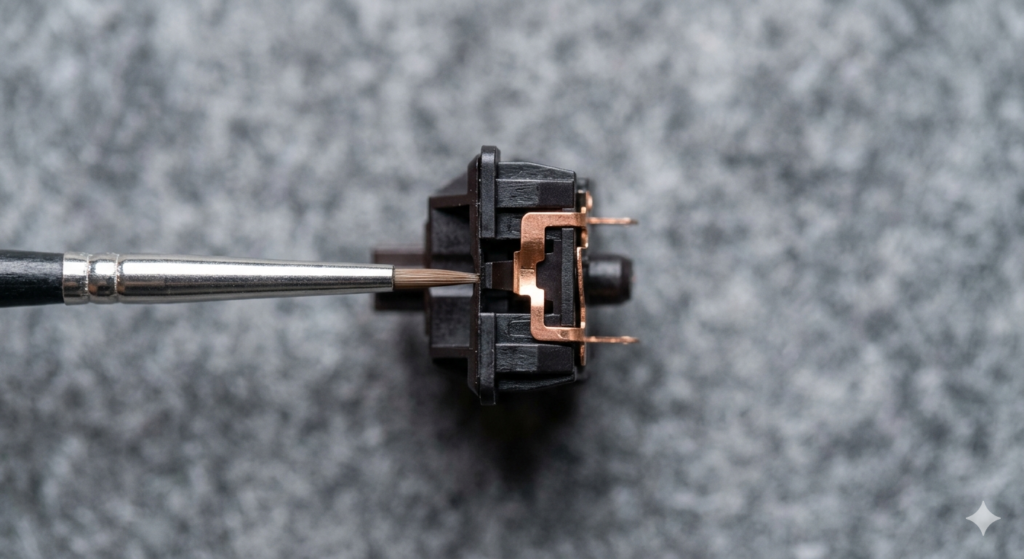
The primary goal of linear optimization is removing the high-frequency plastic scratch sound that ruins the “thock” of a build.
We use dense, high-viscosity synthetic grease for this task to ensure a long-lasting, smooth feel.
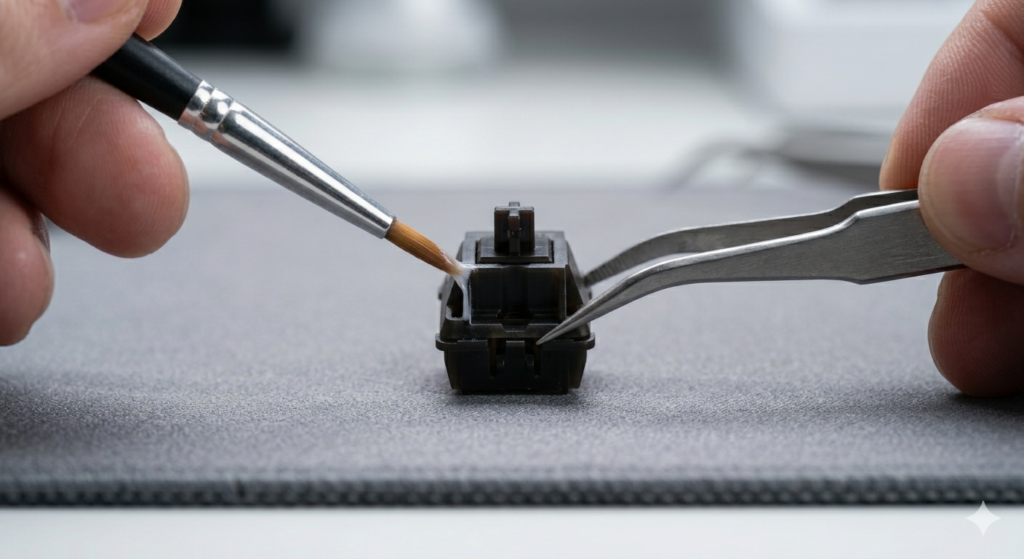
Using high-precision tweezers to grip the stem base, use a fine lubricating brush to apply a thin, translucent layer of grease to the rails.
Consistency is critical, and you should avoid applying a thick bead of grease that can pool at the bottom.
The layer should be so thin that it is only visible when the light catches the surface of the plastic.
The Importance of Material Synergy
Different stem materials, such as POM, LY, or UPE, react differently to various lubricants.
POM is self-lubricating but still benefits from a microscopic layer of Krytox to achieve that signature deep sound.
Using a size 00 brush allows you to reach into the tiny crevices of the rail without over-applying.
Over-lubrication is the most common mistake and will lead to a “sluggish” reset speed, especially in lighter spring weights.
Phase 2: Acoustics of the Stem Pole Impact
The stem pole is the sound engine of the switch that determines the final resonance of your keyboard.
When the pole strikes the bottom housing, it releases acoustic energy that we hear as a “clack” or “thock.”
A dry pole can produce a harsh, high-pitched impact that feels unrefined and “thin” to the ear.
The professional approach is to apply a minimal amount of grease to the very tip of the stem pole.
This minimal layer acts as a mechanical cushion, shifting the impact resonance to a deeper, more satisfying frequency.
Long-Pole vs. Standard Stems
Many modern enthusiast switches use “long-pole” stems to create a more immediate and aggressive bottom-out sound.
Because long poles travel less distance, the lubrication on the tip is even more important for sound consistency.
Uneven lubrication on a long-pole switch will result in a keyboard where different keys have different pitches.
Diagnostic: Preventing Hydraulic Stick
The most common failure in stem lubrication is applying too much grease to the sides of the pole.
When the stem actuates, the pole must physically slide into a narrow cylindrical channel in the bottom housing.
If the pole’s sides are covered in thick grease, it creates an airtight hydraulic seal.
This seal traps air below the pole, preventing a clean acoustic signature and causing the stem to feel slow.
A proper diagnostic check involves fully compressing the switch and ensuring the stem reset instantly.
Read Also: Plate Mount vs. PCB Mount Stabilizers
Tools and Precision Measurements
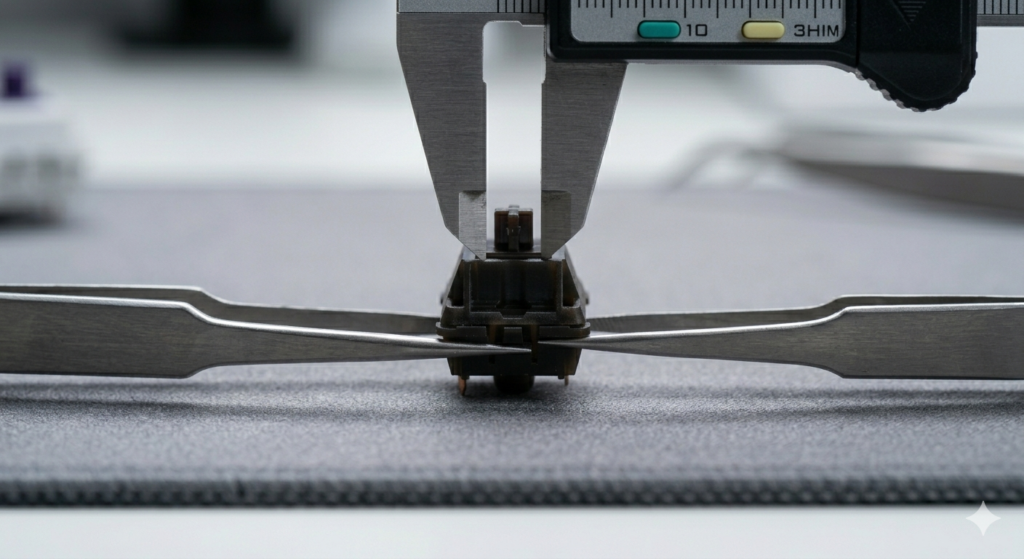
Advanced modders use digital calipers to measure the tolerances between the stem and the housing.
Small variations in manufacturing can mean that one batch of switches requires more lubricant than another.
By measuring the stem pole length, you can predict how loud the bottom-out will be and adjust your lube application accordingly.
Precision tweezers are also essential to avoid getting skin oils on the stem, which can degrade the synthetic grease over time.
Cleaning and Re-Lubing Maintenance
Over months of heavy use, lubricant can migrate or collect dust, leading to a gritty feeling.
A professional maintenance cycle involves fully cleaning the stems in an ultrasonic cleaner before re-applying grease.
This ensures that the sliding surfaces remain perfectly smooth throughout the lifespan of the keyboard.
Regularly checking the consistency of your spacebar and enter key switches is highly recommended, as they endure the most stress.
Conclusion
Surgical optimization of the switch stem rails and pole is a hallmark of professional keyboard building.
While initial techniques target overall friction, advanced tuning focuses on the specific movement of internal components.
By applying high-quality grease with precision on the linear channels, you eliminate scratch and deepen the acoustics.
Execute your assembly cleanly, respect the physical tolerances of the hardware, and enjoy the silence.