When you press a large key like the Spacebar, Shift, or Enter, you aren’t just actuating a single switch; you are engaging a mechanical stabilization system.
This system prevents the keycap from wobbling and ensures a consistent keystroke, regardless of where your finger lands.
While tuning these stabilizers for acoustics is a primary goal for modders, the fundamental mounting style is what dictates the structural integrity and modification potential of your keyboard.
After analyzing the structural failure points of over 100 different keyboard builds, ranging from budget plastic kits to high-end aluminum boards, I can confidently state that the choice between Plate-Mount and PCB-Mount stabilizers is the most critical technical decision a builder faces during assembly.
While Plate-Mounts prioritize convenience, PCB-Mounts offer superior stability and fine-tuning potential.
This guide moves beyond marketing terms to provide a deep, structural analysis of these two dominant mounting philosophies, helping you understand their impact on PCB flex, modification complexity, and overall typing consistency.
Read Also: How to Fix Key Chatter
Defining the Structural Philosophies
The core difference between these two styles lies in where the plastic stabilizer housing physically attaches to the keyboard structure.
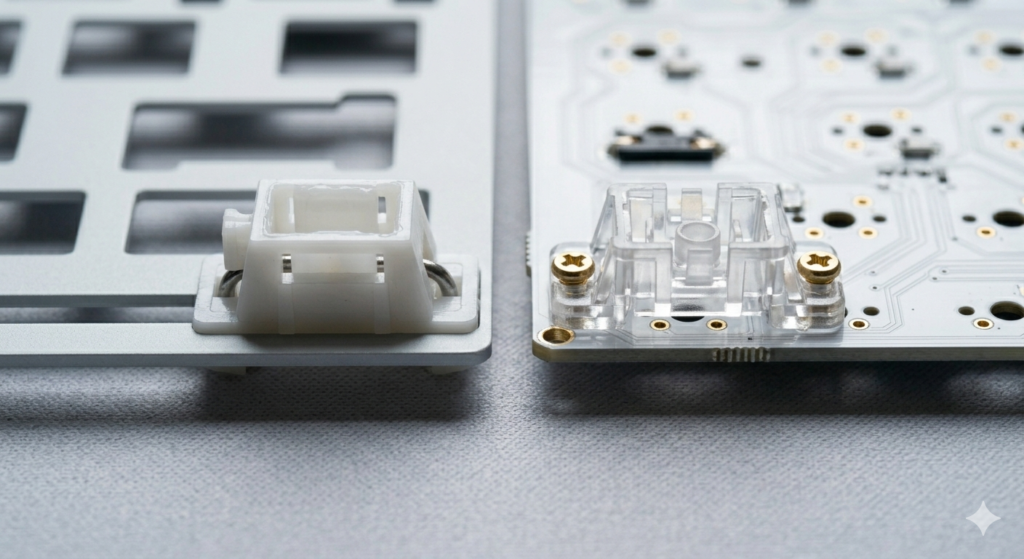
- Plate-Mount Stabilizers: This style utilizes plastic clips built into the stabilizer housing. As visualized on the left side of image_36.png, the housing is inserted from the top and physically snaps into cutouts in the keyboard plate (the metal or plastic sheet that holds the switches). The plate is the only thing supporting the stabilizer.
- PCB-Mount Stabilizers: this premium style bypasses the plate entirely. The stabilizer housing has structural “legs” that insert into dedicated holes directly on the Printed Circuit Board (PCB). The housing is then securely fastened to the PCB, either with a plastic clip (Clip-In) or, ideally, with small screws (Screw-In).
Plate-Mount: Convenience and Its Trade-offs
Plate-Mount stabilizers are the industry standard for pre-built and budget hot-swap keyboards.
- Pros:
- Simplicity: They are exceptionally easy to install and remove. If your Spacebar ticks, you can remove the keycap, pop the Plate-Mount stabilizer out with tweezers, tune it, and snap it back in—all without opening the keyboard case.
- Hot-Swap Efficiency: They work seamlessly with hot-swap PCBs, as they don’t interfere with the switching mechanism.
- Cons (The “Wobble Factor”):
- Structural Play: The fatal flaw of Plate-Mounts is that the connection is purely friction-based. The tolerance between the plastic clips and the metal plate cutout is rarely perfect. This play creates housing wobble, which results in the infamous “ticking” sound that many modders try to eliminate.
PCB-Mount: Maximum Stability and Tuning Potential
PCB-Mount stabilizers are the gold standard for high-end custom keyboards and enthusiastic builders who demand perfection.
- Pros:
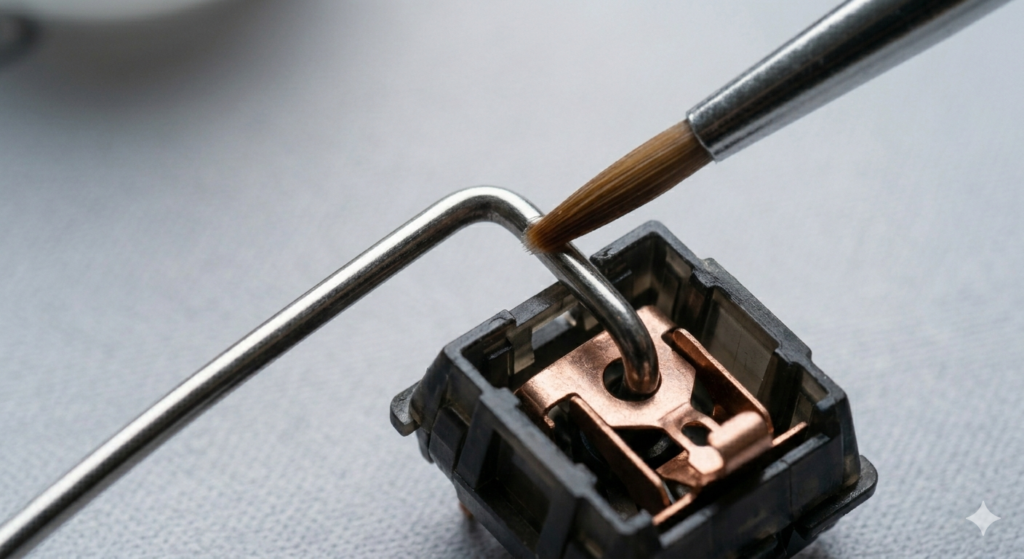
- Superior Stability: The mechanical connection (especially Screw-In) eliminates all structural play. As visualized by the precise brush tuning in image_37.png, because the housing is fixed to the rigid PCB, your tuning efforts are directed entirely at the internal mechanics (the stem/wire balance).
- Reduced Flex Interference: Many modern custom boards use flexible PCB/Plate materials (like FR4 or PC) to improve typing comfort. Plate-Mount stabilizers can sometimes interfere with this flex by creating localized rigid points. PCB-Mounts, by decoupling from the plate, allow the typing experience to remain consistent.
- Cons:
- Complexity: They are significantly more difficult to manage. Installation/removal requires you to open the keyboard case, desolder the switch (if it’s a soldered board), and sometimes remove the entire plate. This makes on-the-fly tuning much more arduous.
Screw-In vs. Clip-In (The PCB-Mount Sub-Type)
Within the PCB-Mount category, you have two sub-types: Clip-In and Screw-In.
- Clip-In (PCB): Uses small plastic retention clips to hold the housing to the PCB. Better than Plate-Mount, but still friction-based.
- Screw-In (PCB): This is the ultimate connection. The housing is physically bolted to the PCB. It is impossible for this connection to introduce wobble or tick. This is the mounting style I always recommend for a dedicated custom build.
Fitment Issues and Plate Thickness
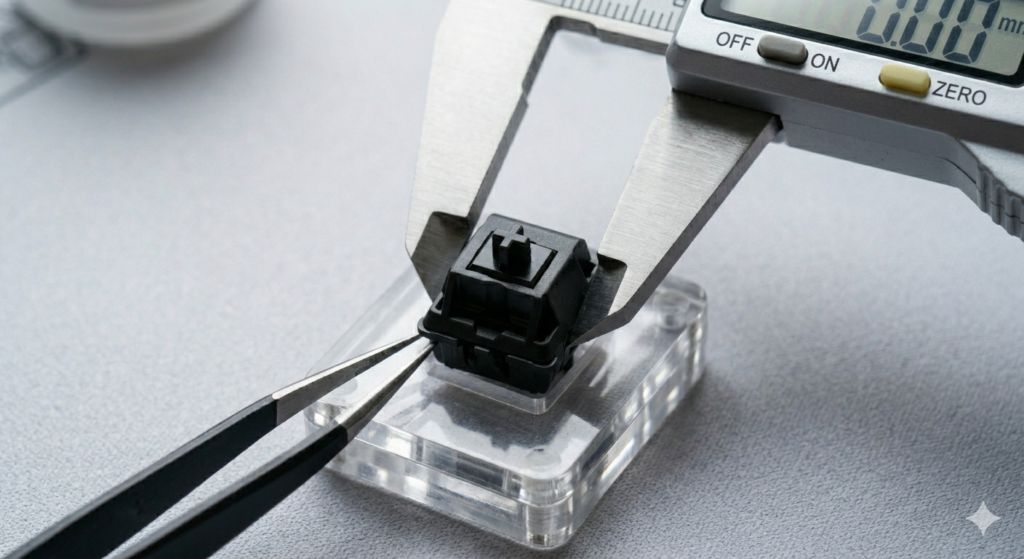
A critical technical consideration is fitment, specifically regarding the keyboard plate thickness.
- The Standard: Plate-Mount stabilizers are designed for standard metal plates, typically 1.5mm thick.
- The Problem: Many modern custom boards utilize polycarbonate (PC) or POM plates, which are often 1.5mm but sometimes thickened (up to 4.0mm) to enhance flex and dampen sound. A Plate-Mount stabilizer designed for 1.5mm cannot properly snap into a 4.0mm plate. If you try to force it, you will buckle the plate or snap the plastic clips. This is where PCB-Mount Screw-Ins become non-negotiable, as they ignore the plate entirely.
Read Also: A Complete Guide to Tape Modding
Conclusion
Understanding the difference between Plate-Mount and PCB-Mount stabilizers is the structural logical recursion of custom keyboard ownership. While the initial build is about physical aesthetics and acoustics, the mounting style is what provides structural foundation and determines fine-tuning potential.
Plate-Mounts offer the convenience of instant, external maintenance, making them ideal for new users or efficient hot-swap builds.
However, the superior stability, structural decoupling from the plate, and fine-tuning control of PCB-Mount Screw-In stabilizers make them the definitive choice for any dedicated custom project. Respect the structural materials, execute the assembly cleanly, and listen to the transformation.