You are typing a critical email, and suddenly you notice an error: “The meetting is set for tomorroww.” You backspace, correct it, and continue, only for the same key to fail again: “The meetting…” This frustrating phenomenon is known in the mechanical keyboard community as Key Chatter.
It is a functional failure where a single physical keypress registers as multiple inputs (e.g., pressing T once generates TT or TTT).
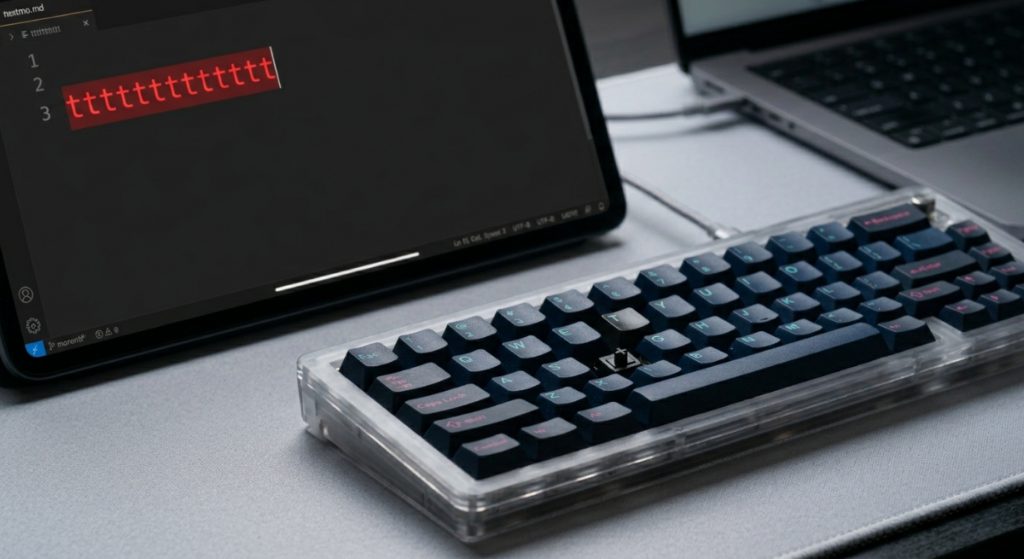
After diagnosing and repairing hundreds of boards, I can confidently state that while chatter is aggravating, it is almost always fixable. The challenge is identifying the root cause, which can exist in the software/firmware layer, the physical switch mechanism, or the PCB connection points. This guide provides a definitive technical framework for troubleshooting and eliminating key chatter, moving from simple software adjustments to component-level physical repairs.
Phase 1: Software and Firmware Diagnostics
Before you grab your switch puller, you must rule out software-side issues. Sometimes the keyboard is fine, but the computer is misinterpreting the signal.
- Isolate the Environment: Plug the keyboard into a different computer. If the chatter vanishes, the issue is with the original computer’s driver stack or background software (e.g., macro tools).
- Rule #1: Check Polling Rate: Modern “Speed” keyboards boast insane polling rates (up to 8,000Hz). High polling rates can sometimes confuse older operating systems or applications, causing them to miss the “key up” signal and register a double tap. Lower your polling rate (via VIA, as detailed in image_24.png) to 1,000Hz or 500Hz and test.
- Firmware (QMK/VIA) Debounce: This is the most critical technical setting. Physical switches “bounce” when they actuate, creating erratic electrical noise before settling. Firmware uses a Debounce Algorithm to ignore this noise. If your debounce time is set too low (e.g., 2ms), the firmware might interpret the initial bounce noise as a second keypress. Use the VIA interface shown in image_24.png to access the advanced settings and increase your Debounce time (start at 5ms and move to 10ms if needed). A setting of 10ms is usually the “magic number” that eliminates chatter on problematic switches.
Read Also: A Complete Guide to Tape Modding
Phase 2: Physical Switch Inspection (The Contact Leaf)
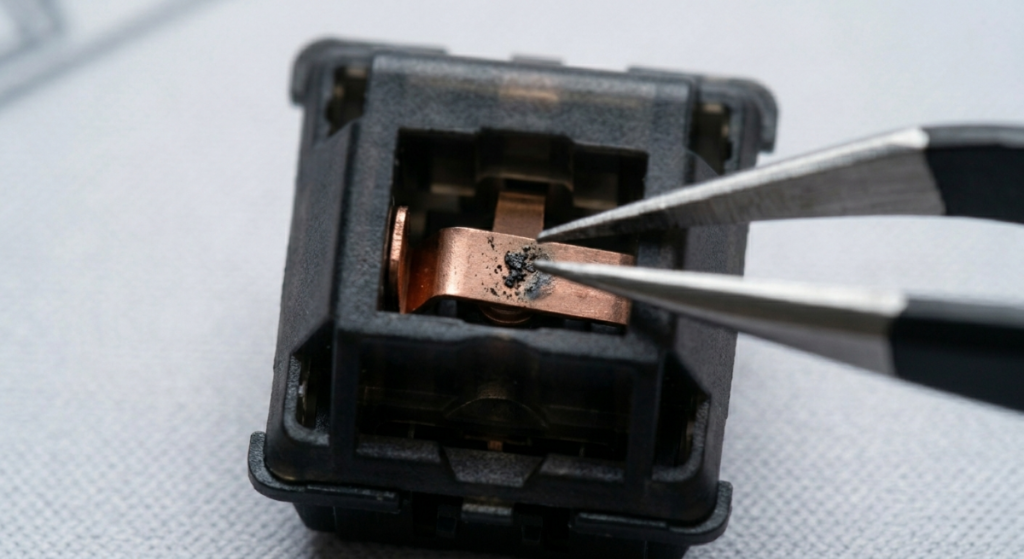
If software adjustments fail, the fault likely lies within the physical switch. Key chatter is often caused by debris interfering with the copper contact leaf.
- Disassemble the Switch: Safe maintenance (referencing Article #4) is key. If you have a hot-swap board (like Article #1 with image_0.png), remove the problematic switch. Open the housing carefully using a switch opener.
- The Diagnosis (image_33.png): Inspect the copper leaf. You are looking for two specific problems:
- Contamination (image_33.png): Dust, pet hair, or dried lubricant (referencing Article #1) can collect between the leaf contacts. This prevents a clean connection, causing the signal to “chatter.”
- Corrosion/Damage: If moisture has entered the switch, the copper leaf can oxidize or corrode. This physical breakdown prevents consistent actuation.
- The Technical Clean:
- Compressed Air: The first and safest step. Blow air directly into the leaf mechanism.
- IPA Dip: For stubborn contamination, remove the bottom housing/leaf assembly and dip it into high-purity 99% Isopropyl Alcohol. Let it air dry completely before reassembly.
- The Final Fix (Switch Swapping): In many cases, especially with cheap or abused switches, cleaning isn’t enough. The leaf may be physically deformed or the plating worn. In a hot-swap board, simply replace the faulty switch with a known-good spare. This immediately isolates the problem.
Phase 3: PCB and Hot-Swap Socket Integrity
If you have replaced the switch and adjusted the debounce, but the chatter persists, you must investigate the Printed Circuit Board (PCB).
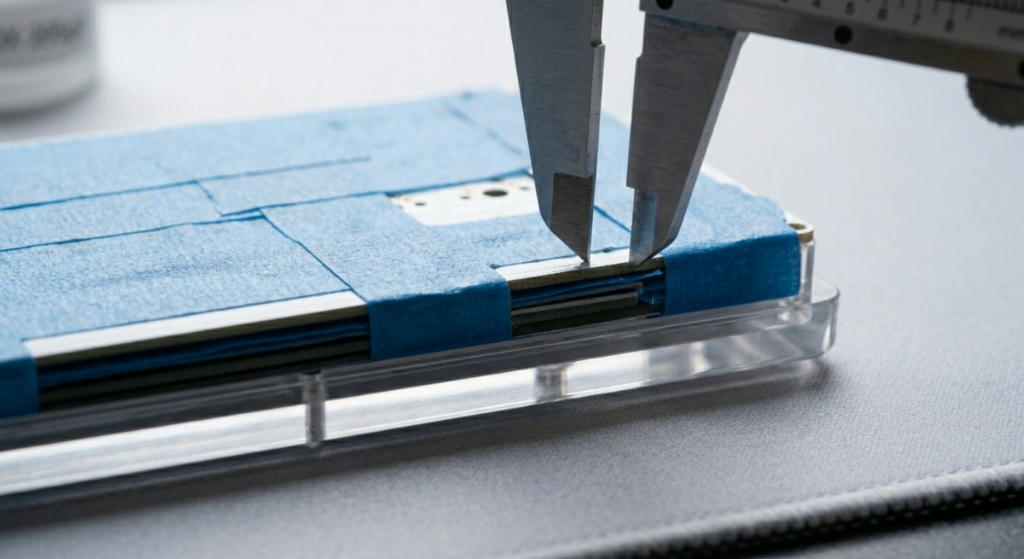
- Hot-Swap Socket Wobble: Hot-swap sockets are extraordinarily convenient, but they are not immortal. Repeatedly swapping switches, or inserting a switch with bent pins, can stress the solder joints holding the socket to the PCB.
- The Diagnosis (PCB Flex): Gently press down on the PCB near the faulty socket. Do you see the physical socket moving? If yes, the solder joint is broken. A broken joint creates an intermittent connection (chatter) rather than a clean signal.
- The Technical Fix:
- Solder Joint Reflow (Soldered Boards): If your board is soldered, the switch must be desoldered and replaced. The joint itself may have become cold or cracked. Desoldering and applying fresh solder usually resolves this.
- Socket Tightening: If the socket joint is solid but the fitment is loose, you can sometimes gently use precision tweezers to tighten the metallic hot-swap clips. Be extraordinarily gentle; over-tightening will snap the clip, ruining the socket entirely.
Read Also: How to Program Your Keyboard Layout Using VIA and QMK
Conclusion
Key chatter is a frustrating failure, transforming a fluid typing or gaming experience into an exercise in error correction. By following this multi-phase troubleshooting framework, you move beyond simple guesswork.
Start with software and firmware (referencing the VIA diagnostics and adjusting the debounce). Then, shift focus to the physical components: inspecting the contact leaf for the precise contamination and assessing the connection integrity of the PCB sockets.
Chatter is a symptom of a technical problem; this guide gives you the expert analysis required to find and fix the root cause.

Vipul is a digital entrepreneur with a deep specialization in hardware optimization and web ecosystem management. With years of experience in the SEO industry and a passion for mechanical keyboard architecture, Vipul personally researches, tests, and writes every guide found on this site.